Beta
English

← All posts

Skins on merit: the cannonball after 50,000 robots, as per the bonus scheme

In short

Today the shot looks became rewards on a new Skins screen, and decks stopped counting card copies. On phones and tablets, picking a card at a level-up stopped guessing what you meant.

New

The Skins screen: shot looks have to be earned

Yesterday's shot looks moved from the settings to a new Skins screen, and they are rewards now. Everyone starts with the default; B: cannonball waits for 50,000 enemies destroyed over all matches, C: plasma for the first weekly challenge won, and A: energy orb for the "Machine Slayer" achievement. The picked look now goes on every shot, not only the big ones, and a locked tile shows its condition and progress. The card backs moved from the deck editor to the same screen.
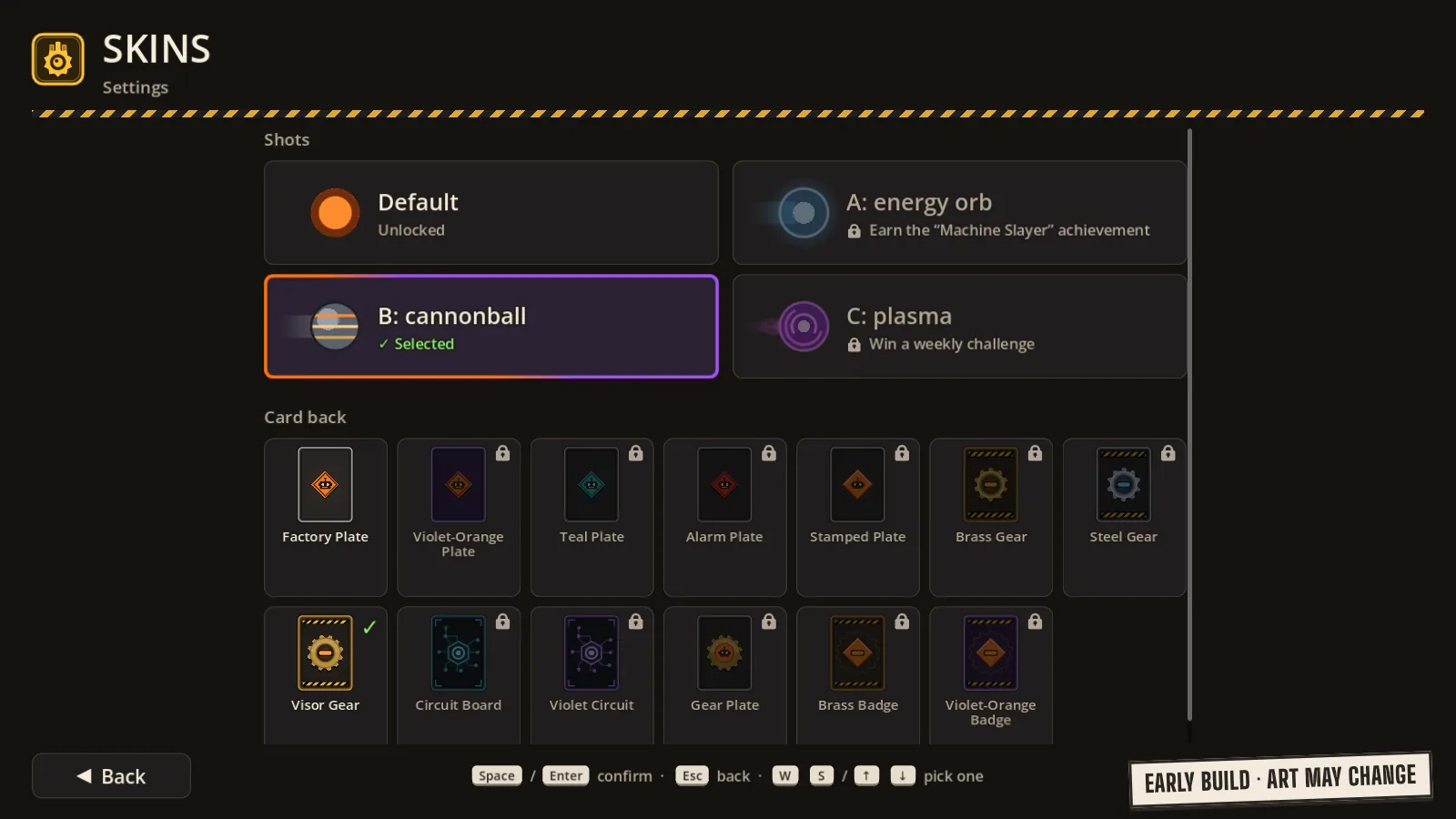
The Skins screen with one shot look unlocked and the conditions for the others shown.

Changes

Decks with no copy limit

A deck now takes as many copies of a card as your collection holds; the deck size and the unique-card rules stay. A card's limit now works only in a match, per holder, as it has since yesterday. Card tiles show plain counts, copies in the deck and copies owned, with no fractions, and the card view says "In the deck: N". A card you don't own shows 0 and a grey collection icon instead of a red padlock.

The draft draws by rarity odds

In the draft every card is drawn on its own: first a rarity by the usual offer odds, then a card of that rarity. So a draft deck may hold any number of copies, and its cap stays the collection. The rule texts changed in every language.

A calmer card pick on phones and tablets

On phones and tablets no offer card is selected or lifted before you choose it yourself, so the game no longer guesses for you. A module's card from the arsenal panel shows up beside the panel and goes away when it's no longer needed. When a new card goes onto a full weapon, the other offers step aside, and the new card and the module to replace stand side by side, captioned "New card" and "Card to remove", with a "Swap" button to seal the decision.

A new app icon

The game's icon is now the antenna A from the official logo, in ink on hazard yellow. On a phone's home screen it looks like a safety sign, which is exactly right.

Fixes

  • The countdown tile in the dock

    The countdown tile in the player's dock no longer breaks right before the countdown ends: with less than a pixel of it left, it draws a clean disc instead of a broken slice.

Want to play before it's ready?

Beta sign-ups are open. And if you'd like to buy the robots a coffee, there's Ko-fi.

Join the beta Support on Ko-fi